
SUPERQODE FOR MACOS
Download SuperQode
SuperQode for macOS
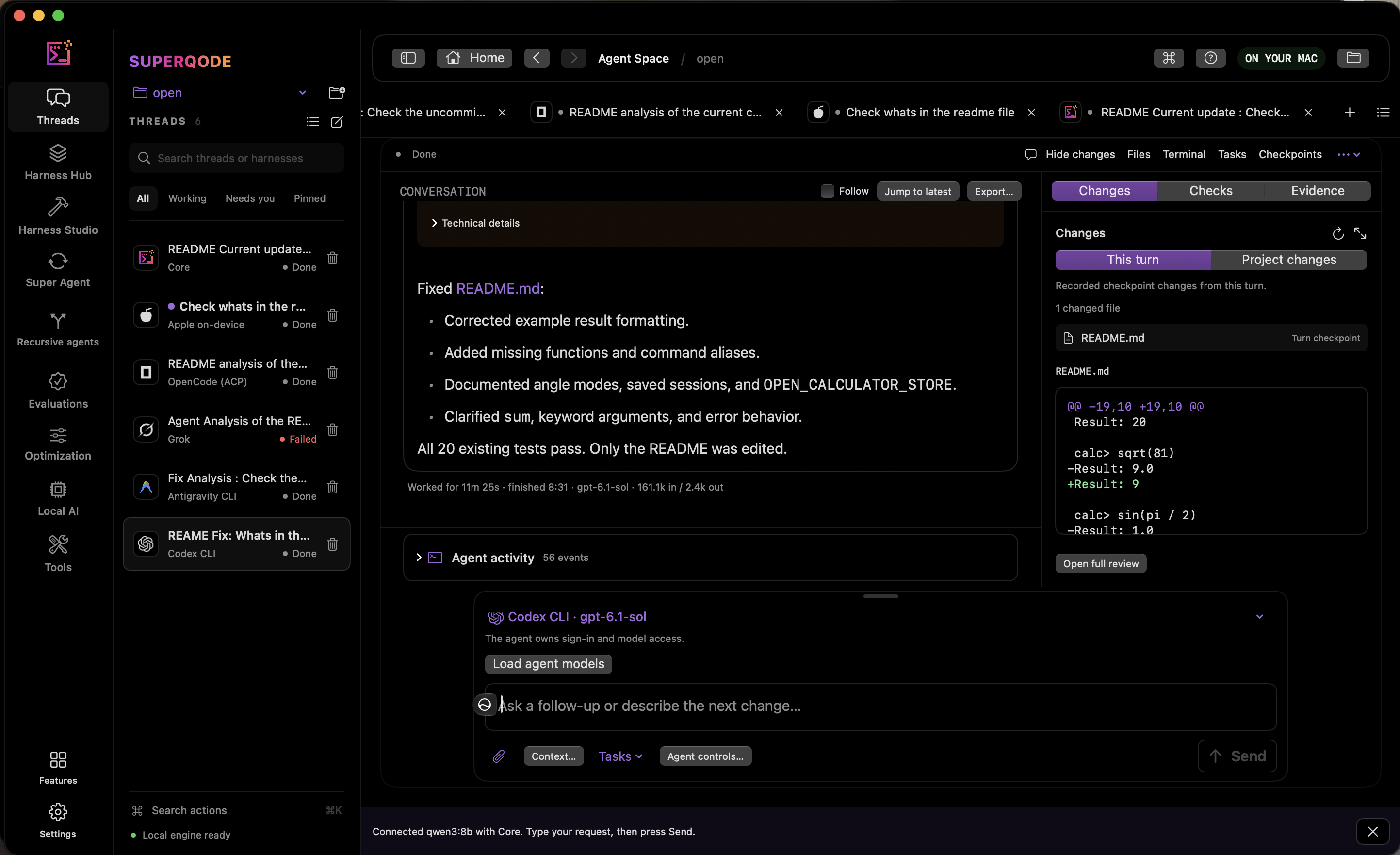
The harness layer for coding agents. Open a project and start building.
SuperQode for macOS
Public beta 0.4.14 (build 40) · Python engine 2.31.19
The harness layer
for coding agents.
Code with your agents, review changes, explore Harness Hub, and bring evaluation and optimization into a native Mac workspace.
Switch agents within the same conversation, read formatted responses and syntax-coloured code, and follow live agent activity while you work.
The app bundles Python engine 2.31.19. Live experiments and cloud decisions need a configured provider and may incur usage charges.
Local runtimes and workspace guideRead the beta notesWatch the product overviewApple Silicon · macOS 14+ · Signed · Notarized by Apple · Direct download
This is a website download, not a Mac App Store release. Your project stays on your Mac. Requests go to the agent or provider you choose. No SuperQode account is required; provider subscriptions and usage charges may apply.
From download to your first change
Install
Open the DMG, drag SuperQode to Applications, then launch it from Applications.
Connect
Open a project and connect an existing coding agent, model provider or supported local model.
Start coding
Describe a small change, review permissions and inspect the diff before keeping it.
Beta details & download integrity
This beta supports Apple Silicon Macs. Some integrations and advanced workflows are experimental, and full terminal feature parity is not included. Updates are manual: quit the app and replace it with a newer download.
Agents and terminal commands run with your Mac user's access. Use a backed-up project and review commands and changes. The app is not an operating-system sandbox.
Report a beta issue. Remove keys and private project content before sharing logs.
Download SHA-256 checksumUse the linked checksum file to verify the latest installer.
START HERE
Get started
Install, open a repo, start.
Everything after this runs from the TUI or the CLI. The short alias sq runs every superqode command.
Already have uv? uv tool install superqode or uvx superqode
RLM with A2A and Monty: uv tool install 'superqode[a2a,monty]'
Remove any time: uv tool uninstall superqode
Switch harnesses mid session, fork attempts, export session evidence. Browse and resume saved sessions with :sessions, and preview 87 themes live from :settings. Headless and CI use the same spec. Omnigent specs import as HarnessSpecs.
Omnigent docs →